v0 vs Bolt.new vs Lovable vs Magic Patterns: Design-to-Code AI 2026
I built the same dashboard on v0, Bolt.new, Lovable, and Magic Patterns. Here's which AI design-to-code tool actually delivers in 2026 production.
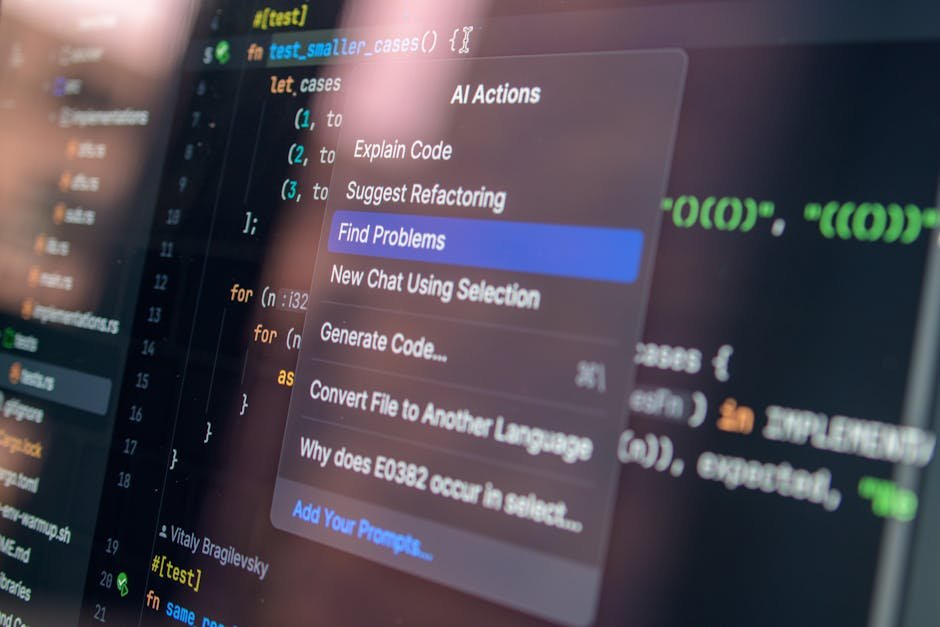
Across the seven aggregator sites I run on a Hostinger VPS — plus the dozen-odd client dashboards we've shipped at Warung Digital Teknologi over the last 11 years — design-to-code AI tools have changed how I scaffold the first 30% of a project. They have not changed how the last 70% gets done. That nuance is missing from most comparison posts I read in 2026, so let me walk through what I've actually shipped with v0, Bolt.new, Lovable, and Magic Patterns and where each one earned (or lost) its place in my workflow.
This isn't a hype piece. I'll show you the production friction I hit on each tool when I tried to use it for real client work — pricing surprises, code quality differences, where the generated code falls apart at scale, and the specific category each one actually owns in 2026.
Quick Verdict (Read This First)
If you only have 30 seconds:
- v0 (Vercel) — Best React/Next.js code quality. Use it when shadcn/ui + TypeScript is your destination stack and a designer is already shipping you Figma frames.
- Bolt.new (StackBlitz) — Fastest validation loop and the most generous free tier. Use it for throwaway prototypes, internal demos, or framework experiments outside the React monoculture.
- Lovable — Best non-technical end-to-end builder thanks to Lovable Cloud (Supabase under the hood). Use it when a non-engineer founder needs a working internal tool with auth + DB without you in the loop.
- Magic Patterns — Best for parallel UI exploration on a shared canvas. Use it as a Figma replacement for early ideation, not as a code source.
The mistake I see most often: teams pick one tool and try to make it do everything. After six months of mixing them in production, I'd argue the right move in 2026 is to use two of them in sequence — exploration on Magic Patterns or Bolt, then production-grade code on v0 — rather than betting the whole pipeline on one.
How I Tested These Tools
I built the same starter project on each tool: a small SaaS dashboard for one of our internal admin tools at Wardigi — login, sidebar nav, a table view with filters, a settings page, and a chart card. Roughly the surface area of a real internal tool, not a landing page. I gave each tool the same plain-English brief and timed how long it took to get something I could either ship or hand off to a developer.
I also re-ran the same exercise twice on each platform to see how deterministic the output was. Spoiler: none of them are very deterministic, but the variance differs a lot, and that matters when you're estimating client work.
v0 by Vercel — Best React Output, Frustrating Outside Its Lane
v0 started in 2023 as a UI component generator and has slowly grown into a full app builder, but the soul of the product is still "Figma frame in, React component out." If your team uses Next.js with shadcn/ui — which is most of the React shops I see in 2026 — v0 produces the cleanest, most maintainable code of the four tools. The TypeScript is well-typed, the component decomposition is sensible, and accessibility primitives from Radix are wired up correctly more often than not.
The killer feature that no other tool replicates as well is direct Figma import. You paste a Frame URL or upload a design, and v0 returns React components that match the visual hierarchy. On my dashboard test, the sidebar and table view came out roughly 80% production-ready on the first generation — I needed to fix one badge color token and tighten a flex layout. That's a measurable time saving when your designer is shipping pixel-perfect frames and you don't want to translate them by hand.
Where it falls apart: v0 generates UI. Backend, database, auth, and deployment are your problem. If you ask v0 to add an API route that talks to Postgres, you'll get scaffolding that compiles and looks right but assumes a Vercel + Neon setup. On a shared Hostinger PHP host (which is where most of my SMB clients live) the generated code needs real surgery. v0 is also opinionated about your stack — if you're not on Next.js + Tailwind + shadcn, the output stops being a fit fast.
Pricing reality: The $5 of monthly free credits runs out in roughly five complex prompts. I burned through it in 20 minutes on the dashboard test. The Premium plan at $20/month is fine for a solo developer; the Team plan at $30/user/month adds shared workspaces. If you're prototyping daily, budget for Premium.
Bolt.new — Fastest Loop, Multi-Framework, Surprisingly Capable
StackBlitz built Bolt on top of WebContainers — full Node.js running in your browser tab — and the speed advantage is genuine. From "send the prompt" to "see the running app" is consistently under 30 seconds for me. No other tool in this comparison feels that fast. The free tier (1M tokens/month at the time of writing) is also the most generous of the four, which makes Bolt the natural place to start for indie devs and validation-phase work.
Where Bolt really pulls ahead is framework freedom. v0 wants you on Next.js. Lovable wants you on its React + Supabase stack. Bolt will happily scaffold Astro, SvelteKit, Remix, Vite + Vue, or even a vanilla Express API. For my dashboard test I generated three versions — Next.js, SvelteKit, and Vue 3 + Vite — in about 15 minutes total, just to compare bundle size and hydration behavior. That kind of side-by-side experimentation is genuinely hard on the other three tools.
Where it falls apart: Code quality is good, not great. I'd put it slightly behind v0 for React work and roughly equal for everything else. The bigger issue is that Bolt's default architecture leans on its own infrastructure — its file system, its preview, its deployment pipe. Pulling a Bolt project out and dropping it on a normal CI/CD setup needs more cleanup than I expected the first time I tried it. Plan an hour of rework per project to make it CI-friendly.
Pricing reality: The 1M-token free tier is real but disappears fast on iterative work. Pro plans start around $20/month; team plans scale by token volume. If your shop does a lot of throwaway prototyping, the math works. If you're hammering on a single complex project, you'll hit the ceiling within a week.
Lovable — The Closest Thing to a Non-Technical Builder
Lovable is the most ambitious of the four because it tries to remove the developer from the equation entirely. Behind the chat interface, Lovable Cloud (powered by Supabase) handles your database, authentication, file storage, and deployment. You describe what you want, and out comes a running, hosted full-stack application with a real Postgres database and a working login flow. For non-technical founders, this is genuinely magical the first time you see it.
I tested Lovable by handing it the dashboard brief and walking away for an hour. When I came back I had a deployed app at a generated URL with email/password auth, a working table view, and persisted data. No hand-coded SQL, no environment variables, no Vercel CLI. For an MVP that needs to be in front of a customer this week, Lovable is hard to beat.
Where it falls apart: The code Lovable generates is opaque by design. It's not bad code — it's standard React + Supabase boilerplate — but the abstraction is leaky. The first time I needed to change a database schema in a way the chat couldn't express, I had to drop into the underlying Supabase project and edit it manually, then convince Lovable to regenerate the types. The handoff from "Lovable owns this" to "developers own this" is the messiest part of the experience and the place where your team will spend the most political energy.
Pricing reality: The free tier gives you 5 message credits per day, which is enough to evaluate the product but not enough to build anything real. Pro is $20/month with 100 monthly credits. Where it gets expensive is if you're shipping a real product on Lovable Cloud — you're effectively paying for both the AI iteration and the hosted Supabase usage. For a small internal tool with three users, fine. For anything customer-facing with traffic, I'd export and self-host.
Magic Patterns — The Underappreciated Ideation Tool
Magic Patterns is positioned differently from the other three. It's not really an "AI app builder" — it's an AI-powered prototyping canvas. You describe a screen or a flow in plain language, and Magic Patterns generates several visual variants side by side that you can click through, comment on, and share with stakeholders. Think Figma plus an AI brainstorming partner, not a code generator.
I almost left Magic Patterns out of this comparison because it's not directly competing with v0 or Lovable. Then I remembered how I actually used it on our last marketing site refresh: I generated 12 hero-section variants in 20 minutes, sent the gallery link to our marketing lead, and got real feedback before anyone touched code. That is a step in the design process that I used to do badly with rushed Figma frames, and Magic Patterns does it better.
Where it falls apart: The code export exists but it's the weakest of the four. If you treat Magic Patterns as an ideation tool and use v0 or Bolt to build the chosen direction, it earns its keep. If you try to ship Magic Patterns output directly, you'll have a bad time.
Pricing reality: Free tier covers solo experimentation; paid plans scale from around $20/month. The pricing question is mostly about whether your team gets value from the parallel-variant exploration workflow — for designers and PMs, often yes; for engineers working alone, probably not.
Side-by-Side Comparison Table
| Capability | v0 | Bolt.new | Lovable | Magic Patterns |
|---|---|---|---|---|
| Primary use | React UI | Full app prototype | Full-stack MVP | UI ideation |
| Frameworks | Next.js + shadcn | Multiple (Next, Svelte, Vue, Astro) | React + Supabase | N/A (visual) |
| Backend / DB | Manual (BYO) | Manual (BYO) | Built-in (Supabase) | None |
| Code quality | Excellent | Good | Acceptable | N/A |
| Speed to first preview | ~45s | ~30s | ~60s | ~20s |
| Free tier | $5 credits/mo | ~1M tokens/mo | 5 msgs/day | Limited prototypes |
| Paid entry | $20/mo | $20/mo | $20/mo | ~$20/mo |
| Best for | Engineers shipping React | Validation prototypes | Non-technical founders | PMs and designers |

Three Production Gotchas Nobody Mentions
After six months of using these tools on real client work, here are the rough edges I keep tripping over. The marketing pages don't talk about them, but you'll hit them on your second project.
1. Generated code drifts from your house style
When v0 ships a button component, it ships v0's button component, not the one you've been refining for two years. On my third client project I noticed I was spending more time aligning v0 output to our internal Vue 3 + Tailwind conventions than I would have spent writing the components from scratch. The fix is to give the AI your component library as context — most tools support this in 2026 — but it's never frictionless. Budget for it.
2. The first 80% is not the hard 80%
Every one of these tools will get you to a clickable demo fast. None of them will get you to "ready for paying users" without engineering work that looks suspiciously like normal engineering. State management edge cases, form validation rules that match your business logic, tenant isolation, audit logs, rate limiting, error reporting — these are the parts that take real time, and the AI doesn't shortcut them meaningfully. Be honest with yourself and your stakeholders about which 80% you're actually completing.
3. Vendor lock-in is real even when the code is "yours"
Lovable is the obvious case — your data lives in Lovable Cloud's managed Supabase. But Bolt projects assume the WebContainer file system, v0 projects assume a Vercel deployment story, and Magic Patterns prototypes export to a format that doesn't quite map to any framework cleanly. None of these are deal-breakers, but every one of them is a thing you'll discover the first time you try to migrate. Read the export story before you build anything you can't afford to throw away.
Decision Matrix — Which Tool Should You Actually Pick
Here's the rule of thumb I use when a client asks me. It's not a benchmark, it's a heuristic from shipping work:
- You are an engineer building a React/Next.js product — pick v0. Pay for Premium, hand it Figma frames, expect to do real engineering on top. The output quality is worth the price.
- You are validating an idea this week — pick Bolt.new. The free tier is generous, the speed is unbeatable, and the multi-framework support means you can throw the prototype away without sunk-cost feelings.
- You are a non-technical founder building an internal tool — pick Lovable. Accept the lock-in, accept the opaque code, ship the MVP, get to revenue, then have a developer rebuild it when you outgrow it.
- You are a PM or designer running discovery — pick Magic Patterns for ideation, then hand the chosen variant to v0 or your developer for production code. Treat it as a Figma upgrade, not a Figma replacement.
- You run a small agency like ours — use Bolt for client demos in the sales cycle, v0 for production React work, and keep Lovable on the shelf for clients who can't hire engineers. Magic Patterns is a nice-to-have if your team includes designers.
Frequently Asked Questions
Are these tools actually replacing developers in 2026?
No. They're replacing the first afternoon of work on a project — the boilerplate, the scaffolding, the layout fights. The harder parts of software engineering (correctness, security, maintainability, integration with systems you don't control) still need humans. What the tools are doing is shifting where developer attention pays off. I spend less time on layout and more time on the parts of a system that actually have business stakes.
Which tool generates the most maintainable code?
v0, by a clear margin, for React projects. The component decomposition, TypeScript typing, and use of established patterns like shadcn/ui mean the output reads like code a senior engineer would write. Bolt is solid but more variable. Lovable's code is fine but tightly coupled to its runtime. Magic Patterns isn't really competing on this axis.
Can I use these for production apps?
Define "production." For an internal tool serving a few dozen users, all four can get you there with reasonable engineering on top. For a customer-facing product with real traffic, real compliance requirements, and a roadmap longer than three months, treat the AI output as a head start, not a finished product. Plan to refactor, plan to add tests, plan to own the architecture decisions.
What about pricing for a small team?
Budget around $20/user/month per tool you adopt. If you pick two (which is what I'd recommend), you're looking at roughly $40-50/user/month in tooling spend on top of whatever else you pay for hosting and CI. Compared to the engineering time saved on scaffolding, the ROI is positive for most teams I've worked with — but only if the tools actually fit your stack. Don't pay for v0 if your codebase is Vue.
Will the AI builders replace Figma?
Not fully, and not soon. Magic Patterns is the closest contender for the early ideation step, but Figma's collaboration, plugin ecosystem, and design-system tooling are still ahead of anything an AI builder offers. What you'll see in 2026 is teams using both — Figma for design system and final hand-off, AI tools for parallel exploration earlier in the process.
The Honest Bottom Line
None of these tools are magic and none of them are useless. The best results I've shipped came from picking the right tool for the right step of the workflow, not from forcing one tool to do everything. After six months I've settled into a rhythm: Magic Patterns or Bolt for the first day of exploration, v0 for production React surface area, hand-coded Vue or Laravel for the parts that need to last. Lovable lives on the shelf for clients who genuinely can't hire engineers and need a starting point.
If I had to recommend just one tool for a developer reading this in 2026 and shipping React work, it would still be v0 — code quality wins over speed when you're going to live with the output. If you're not on React, start with Bolt. If you're not technical, Lovable will get you further than you'd expect, faster than you'd believe, and stop short of where you actually need to be. Plan accordingly.
The mistake to avoid is treating any of these tools as a finished pipeline. They're a leverage layer on top of normal engineering work, not a replacement for it. The teams I see succeeding with AI design-to-code tools are the ones that are honest about that and use the saved time to invest in the parts of the product that actually move the business.
Enjoyed this article?
Get more AI insights — browse our full library of 103+ articles and 373+ ready-to-use AI prompts.
📰 More like this

Pinecone vs Qdrant vs Weaviate vs Milvus vs pgvector: 2026 Benchmarks, Pricing & How to Choose

Phi-4-mini vs Gemma 3 vs Qwen3 vs SmolLM3: On-Device SLMs in 2026

Firecrawl vs Jina Reader vs Crawl4AI vs ScrapingBee: Which Web Scraper for AI in 2026?

Mem0 vs Zep vs Letta vs Cognee: AI Agent Memory Compared (2026)

Composio vs Arcade vs Nango: AI Agent Authentication in 2026